
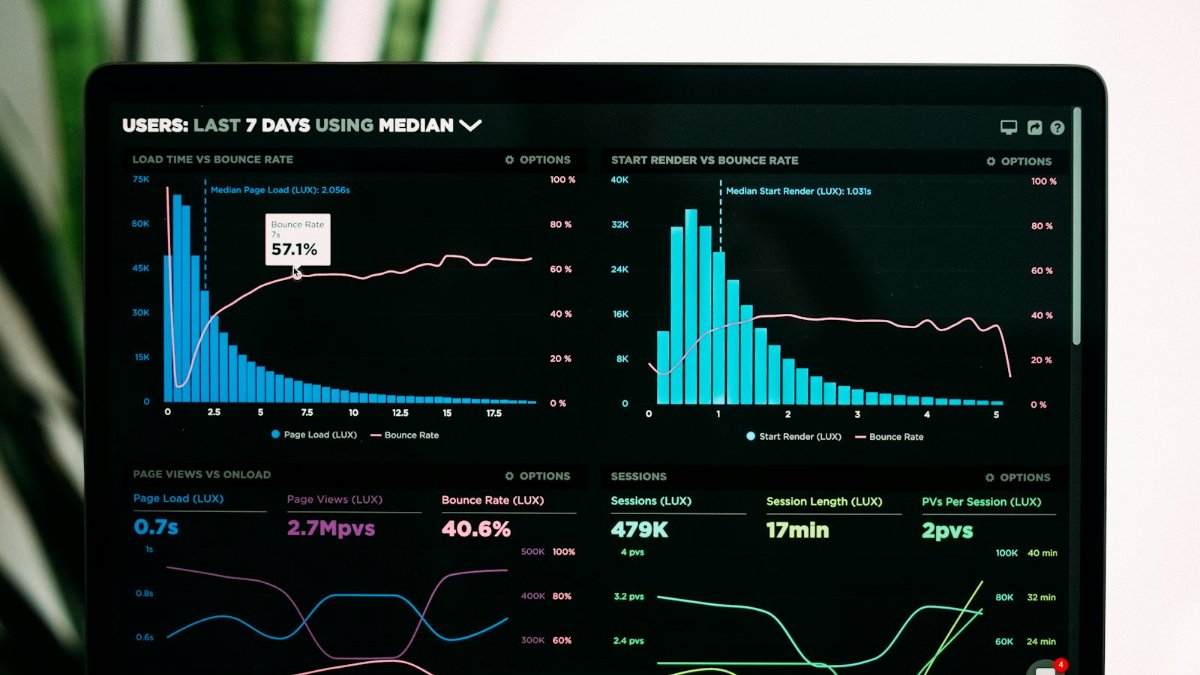
SaaS spend management is the habit of knowing which software your company pays for, who uses it and whether it is worth the money. It sounds boring until you open last quarter’s card statement and find three project tools, two video platforms and a design subscription nobody remembers buying. For startups and small teams, that kind of quiet waste adds up fast.
This guide explains what SaaS spend management is, where the money usually leaks and a practical seven-step process you can start this week with nothing more than a spreadsheet. We also cover the metrics worth tracking and when it makes sense to bring in a dedicated tool.
Table of Contents
What Is SaaS Spend Management?
SaaS spend management is the process of discovering, tracking, controlling and optimising every software-as-a-service subscription in your organisation. If you are new to the model itself, our explainer on what SaaS is covers the basics. In short, you pay a recurring fee for software that runs in the cloud, and that fee is spread across many tools, many teams and many renewal dates.
Good SaaS spend management answers four simple questions: what do we own, who owns it, how much does it cost and are people actually using it? When you can answer those for every app, savings follow almost automatically.
Why SaaS Spend Management Matters in 2026
Software costs keep climbing, and AI features are making bills harder to predict. Zylo, a SaaS management vendor, reported in its 2026 SaaS Management Index that median SaaS spend per employee reached $9,455 and that large enterprises add an average of 21 new applications every month. Its 2025 index found that companies with up to 500 employees run about 152 apps on average. Those are vendor figures, so treat them as a rough benchmark, but the direction is clear: portfolios grow faster than anyone tracks them.
For a small business, the problem looks different but hurts just as much. You may not have 150 apps, yet a few unused seats and a couple of forgotten auto-renewals can easily eat a meaningful share of a tight budget. Our guide to how to reduce SaaS costs shows quick wins, and this article gives you the system to keep them.
Where SaaS Money Quietly Leaks
Before you fix anything, learn the usual suspects:
- Shelfware: licences that are paid for and never used, often left over from people who have left.
- Duplicate tools: two teams buying different apps for the same job, such as chat, notes or project boards.
- Shadow IT: apps bought on personal or team cards that finance and IT never see.
- Auto-renewals: contracts that quietly roll over at a higher price because nobody reviewed them.
- Over-provisioned plans: paying for an enterprise tier when the basic tier does the job.
- Usage-based surprises: AI credits, API calls and storage that grow past the budget.
SaaS Spend Management in 7 Steps
Step 1: Discover Every App You Pay For
You cannot manage what you cannot see. Start with your finance data: export the last 12 months of card and bank transactions, and filter for software vendors. Then cross-check against your single sign-on or Google Workspace and Microsoft 365 app lists, and ask each team lead for the tools they rely on. Put everything into one spreadsheet with columns for app name, purpose, monthly or annual cost, billing owner, renewal date and number of paid seats.
Step 2: Assign an Owner to Every App
Every subscription needs one accountable person, not a department. The owner decides whether the app stays, who gets a seat and what happens at renewal. An app with no owner is the first candidate for cancellation, because nobody will miss it, or the first sign you have a visibility problem.
Step 3: Compare Seats Paid Against Seats Used
Check the admin dashboard of each major tool for last-login data. Anyone who has not signed in for 60 to 90 days is a candidate to lose their licence. This is usually the fastest source of savings, since you can remove seats without anyone noticing.
Step 4: Remove Overlap and Right-Size Plans
Look for tools that do the same job. If three teams use three different note apps, pick one and migrate. Then review each plan tier. Many teams pay for features they never touch, and moving down a tier or switching from annual enterprise to a team plan can cut the bill with no loss. Our list of essential SaaS tools for small businesses shows a lean stack to compare against.
Step 5: Build a Renewal Calendar
Create a calendar with every renewal date and set reminders 90 days ahead. Cancellation windows are often 30 to 60 days, and missing them locks you in for another year. At each reminder, the owner answers three questions: do we still use it, do we need every seat and can we negotiate?
Step 6: Negotiate Before You Renew
Vendors expect negotiation, even with small customers. Ask for a discount for paying annually, a lower price for a multi-year commitment, a price cap on future increases and the removal of unused seats. If you have a cheaper alternative, say so. For tools priced per seat or by usage, it helps to understand SaaS pricing models, because you can often switch to a plan that fits your pattern better.
Step 7: Set a Simple Buying Policy
Prevent the mess from returning. Require a short request before anyone buys new software: what problem it solves, the cost, who owns it and whether an existing tool already does the job. Route subscriptions through one company card or procurement process so finance sees everything. Keep the rule light, or people will work around it.
Metrics to Track
You do not need a complex dashboard. Track these five numbers each quarter:
| Metric | What it tells you | Healthy sign |
|---|---|---|
| SaaS spend per employee | Overall cost efficiency | Stable or falling |
| Licence utilisation rate | Seats used divided by seats paid | 80% or higher |
| Apps with a named owner | Accountability | 100% |
| Renewals reviewed 60+ days ahead | Control over contracts | 90% or higher |
| Unapproved apps found | Shadow IT risk | Falling each quarter |
Do You Need a SaaS Spend Management Tool?
For teams under 50 people, a well-kept spreadsheet is usually enough. Once you pass roughly 50 to 100 apps, or finance and IT struggle to agree on what exists, a dedicated platform can pay for itself. Vendors in this space include Zylo, Productiv, Torii and Vendr. They connect to your finance, identity and app data to find subscriptions automatically, flag unused licences and track renewals. Prices vary widely and are rarely published, so request quotes and compare at least two. Whatever you choose, remember that software finds the waste but people still have to decide what to cut.
Common Mistakes to Avoid
- Cutting too hard. Removing a tool people depend on costs more in lost time than it saves.
- Treating it as a one-off clean-up. Without a quarterly review, costs creep back within a year.
- Ignoring security. Unmanaged apps often hold company data, so spend and risk belong in the same conversation.
- Forgetting AI tools. Individual AI subscriptions and usage fees add up quietly, so include them in your inventory.
Frequently Asked Questions
What is the first step in SaaS spend management?
Build a complete inventory of every subscription, starting with 12 months of card and bank data. Visibility comes before any cost cutting.
How much can a company save?
It varies, but removing unused seats, duplicate tools and unneeded plan upgrades often produces noticeable savings in the first quarter. Avoid trusting any promised percentage until you have your own numbers.
Who should own SaaS spend management?
In small companies, usually finance or operations, with each app owner responsible for their own tool. In larger companies, IT, procurement and finance share the job.
How often should we review our software subscriptions?
Review renewals continuously on your calendar, and run a full audit at least once a year, ideally every quarter if your stack is growing quickly.
Final Thoughts
Strong SaaS spend management is not about spending less on everything. It is about paying only for software that earns its place. Build the inventory, name the owners, watch the renewals and keep the policy simple. Do those four things and your software budget stops being a surprise and becomes something you control. If you are also thinking about selling software, our guide to SaaS sales shows the other side of the same market.